Learning programming becomes much easier when you work on real projects instead of only reading theory. If you’re searching for the best coding projects for beginners, you’re in the right place. Building small, practical projects helps you understand programming concepts, improve problem-solving skills, and create an impressive portfolio.
In this guide, you’ll discover 25 beginner-friendly coding projects across web development, Python, JavaScript, and app development. Whether you’re a student or a complete beginner, these ideas will help you gain hands-on experience in 2026.
Before you start building projects, it’s important to understand the basics of programming and choose the right language. Check out our complete beginner’s guide to learn the fundamentals before starting your first project.
Why Coding Projects Are Important for Beginners
Table of Contents
Coding is a practical skill. The more you build, the better you become.
Benefits of beginner coding projects include:
- Improve problem-solving skills
- Learn programming by doing
- Build confidence
- Create a portfolio for internships and jobs
- Understand real-world coding concepts
- Prepare for advanced programming topics
25 Easy Coding Projects for Beginners
Building real applications is one of the fastest ways to improve your programming skills. These coding projects for beginners are designed to help you practice essential concepts, gain hands-on experience, and build a strong portfolio. Whether you’re learning Python, JavaScript, HTML, CSS, or Java, these beginner-friendly projects will strengthen your coding knowledge and prepare you for more advanced development.
1. Calculator App
Build a simple calculator that performs basic arithmetic operations like addition, subtraction, multiplication, and division.
2. To-Do List App
Create a task management application where users can add, edit, delete, and complete daily tasks.
3. Personal Portfolio Website
Design a responsive portfolio website to showcase your skills, projects, resume, and contact details.
4. Weather App
Develop an application that displays real-time weather information using a public weather API.
5. Password Generator
Generate secure passwords with customizable length and character combinations.
6. Number Guessing Game
Build an interactive game where players guess a randomly generated number with helpful hints.
7. BMI Calculator
Create a calculator that determines Body Mass Index based on a user’s height and weight.
8. Expense Tracker
Develop a simple application to record income, expenses, and calculate the remaining balance.
9. Digital Clock
Display the current time in real-time with automatic updates every second.
10. Quiz Application
Build an interactive quiz that tracks scores and displays results after completion.
11. Stopwatch
Create a stopwatch featuring start, pause, resume, and reset functions.
12. Currency Converter
Convert currencies using live exchange rates fetched from an online API.
13. Random Quote Generator
Display a new motivational or inspirational quote every time the user clicks a button.
14. Notes App
Develop an application that allows users to create, edit, search, and delete notes.
15. Login Form
Design a responsive login page with email and password validation.
16. Rock Paper Scissors Game
Build the classic game where users compete against the computer.
17. Image Slider
Create an image carousel with previous, next, and automatic slideshow functionality.
18. Age Calculator
Calculate a person’s age based on their date of birth.
19. Typing Speed Test
Measure typing speed, accuracy, and words per minute with a timer.
20. Student Management System
Build a system to add, update, search, and remove student records.
21. Chat Application
Create a basic real-time messaging application using Firebase or WebSockets.
22. Music Player
Develop a music player with play, pause, next, previous, and volume controls.
23. Blog Website
Design a clean and responsive blog website for publishing articles and managing categories.
24. E-Commerce Landing Page
Build a modern online shopping homepage featuring products, banners, and navigation.
25. Simple Banking System
Develop a basic banking application that allows deposits, withdrawals, and balance checks.
These 25 easy coding projects for beginners provide a practical way to strengthen your programming skills while building real-world applications. Start with simple projects, practice consistently, and gradually take on more advanced challenges. Every project you complete brings you one step closer to becoming a confident developer.
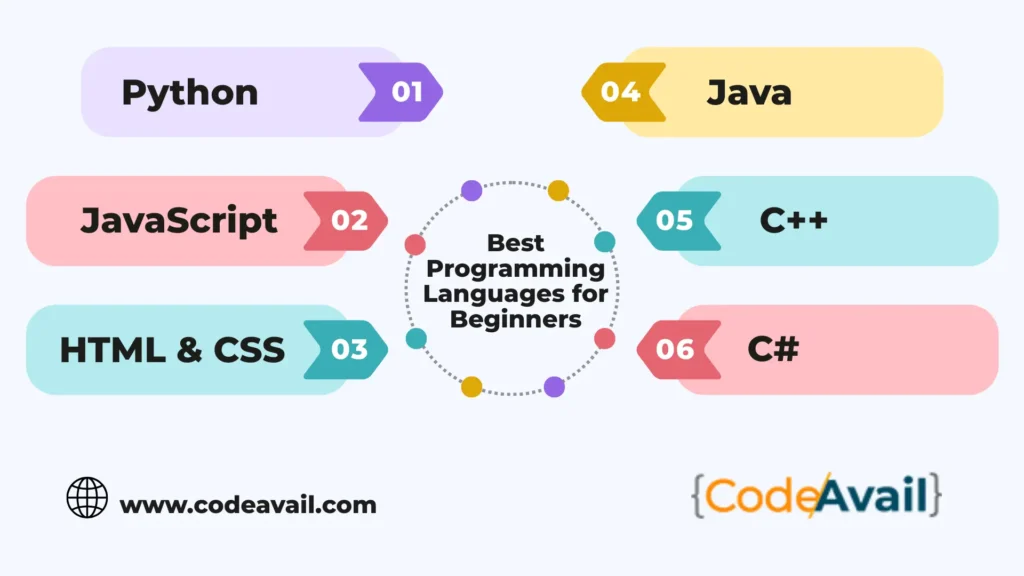
Best Programming Languages for Beginners
Choosing the right programming language is just as important as selecting the right project. Each language has its own strengths, and the best choice depends on your learning goals. If you’re interested in web development, app development, data science, or automation, starting with a beginner-friendly language will make learning easier. Here are some of the best programming languages to learn in 2026.
1. Python
Python is widely recommended for beginners because of its simple syntax and readability. It is commonly used in web development, automation, artificial intelligence, machine learning, and data science.
Best for: AI, Automation, Data Science, Web Development
2. JavaScript
JavaScript is the backbone of modern web development. It allows developers to create interactive websites and dynamic web applications and is essential for frontend and full-stack development.
Best for: Web Development, Full-Stack Development
3. HTML & CSS
Although they are not programming languages, HTML and CSS are essential for building and designing websites. Every web developer should learn them before moving on to JavaScript.
Best for: Website Design and Frontend Development
4. Java
Java is a powerful, object-oriented programming language used in Android app development, enterprise software, and backend systems. It has a large community and excellent career opportunities.
Best for: Android Apps, Enterprise Applications
5. C++
C++ is ideal for learning programming fundamentals such as memory management and algorithms. It is widely used in competitive programming, game development, and system software.
Best for: Competitive Programming, Game Development
6. C#
C# is a beginner-friendly language developed by Microsoft. It is popular for creating Windows applications and games using the Unity game engine.
Best for: Game Development, Desktop Applications
7. PHP
PHP is a server-side scripting language used to build dynamic websites and web applications. Many popular websites and content management systems like WordPress are built with PHP.
Best for: Backend Development, WordPress Websites
Choosing the right language makes coding projects for beginners easier and more enjoyable. Start with one language, build projects consistently, and improve your skills with regular practice.
Tips to Succeed with Coding Projects for Beginners
Starting your first project can feel overwhelming, but following the right approach will make learning easier and more enjoyable. These practical tips will help you complete coding projects for beginners successfully while improving your programming skills.
1. Start with Simple Projects
Begin with basic projects like a calculator or to-do list before moving on to more advanced applications.
2. Practice Every Day
Spend at least 30–60 minutes coding daily. Consistent practice helps you learn faster and remember concepts better.
3. Understand the Code
Avoid copying code without understanding it. Take time to learn how each function and line of code works.
4. Break Projects into Smaller Tasks
Divide large projects into smaller, manageable steps. Completing one feature at a time makes development easier.
5. Use Git and GitHub
Track your progress with Git and upload your projects to GitHub to build an online portfolio.
6. Learn to Debug
Errors are a normal part of programming. Read error messages carefully and use debugging tools to solve problems.
7. Read Documentation
Official documentation provides accurate information, examples, and best practices for programming languages and frameworks.
8. Build Real-World Projects
Create projects that solve everyday problems, such as expense trackers, weather apps, or note-taking applications.
9. Ask for Feedback
Share your projects with friends, mentors, or developer communities to receive suggestions for improvement.
10. Keep Learning
Technology changes quickly, so continue learning new tools, frameworks, and programming concepts to grow your skills.
Following these tips will help you complete coding projects for beginners more effectively and build a strong foundation for your programming journey. Consistent practice and continuous learning are the keys to becoming a confident developer.
Common Mistakes to Avoid When Building Coding Projects
While working on coding projects for beginners, it’s normal to make mistakes. However, avoiding these common errors will help you learn faster, write better code, and complete projects more efficiently.
1. Starting with Complex Projects
Many beginners choose advanced projects too early. Start with simple applications and gradually increase the difficulty.
2. Copying Code Without Understanding It
Using tutorials is helpful, but always understand how the code works before using it in your own projects.
3. Ignoring Programming Basics
Strong fundamentals like variables, loops, functions, and data structures are essential for building better applications.
4. Not Debugging Errors
Don’t be discouraged by errors. Debugging is an important skill that helps you become a better programmer.
5. Skipping Project Planning
Before writing code, plan your project by listing features, designing the layout, and deciding on the tools you’ll use.
6. Not Testing Your Project
Always test your application to ensure all features work correctly and provide a good user experience.
7. Giving Up Too Quickly
Programming takes patience. Keep practicing consistently, and every completed project will improve your confidence and skills.
Avoiding these common mistakes will make coding projects for beginners more productive and enjoyable. Focus on learning, practice regularly, and improve one project at a time to become a better developer.
Conclusion
Building coding projects for beginners is one of the most effective ways to learn programming and gain real-world experience. By starting with simple projects and gradually working on more advanced applications, you’ll strengthen your coding skills, improve problem-solving abilities, and build a portfolio that showcases your talent.
Stay consistent, keep experimenting with new ideas, and never stop learning. Every project you complete is a step closer to becoming a confident and successful developer in 2026 and beyond.
Frequently Asked Questions (FAQs)
1. What are the best coding projects for beginners?
Some of the best beginner projects include a calculator, to-do list app, weather app, portfolio website, password generator, quiz app, and expense tracker. These projects help you practice core programming concepts while building practical skills.
2. Which programming language is best for beginners?
Python is often considered the easiest language to learn because of its simple syntax. JavaScript is another excellent choice if you want to build websites and interactive web applications.
3. How many coding projects should a beginner build?
Beginners should aim to complete at least 10–20 small projects before moving on to larger applications. The more projects you build, the more confident and skilled you’ll become.
4. Can coding projects help me get a job?
Yes. Building real projects creates a portfolio that demonstrates your practical skills. Recruiters and employers often value hands-on experience alongside technical knowledge.
5. Where can I find ideas for coding projects?
You can find project ideas on GitHub, coding communities, programming blogs, educational platforms, and by solving everyday problems with software.